Embracing Vibe Coding : My Journey to a Next.js/MUI Frontend with FastAPI
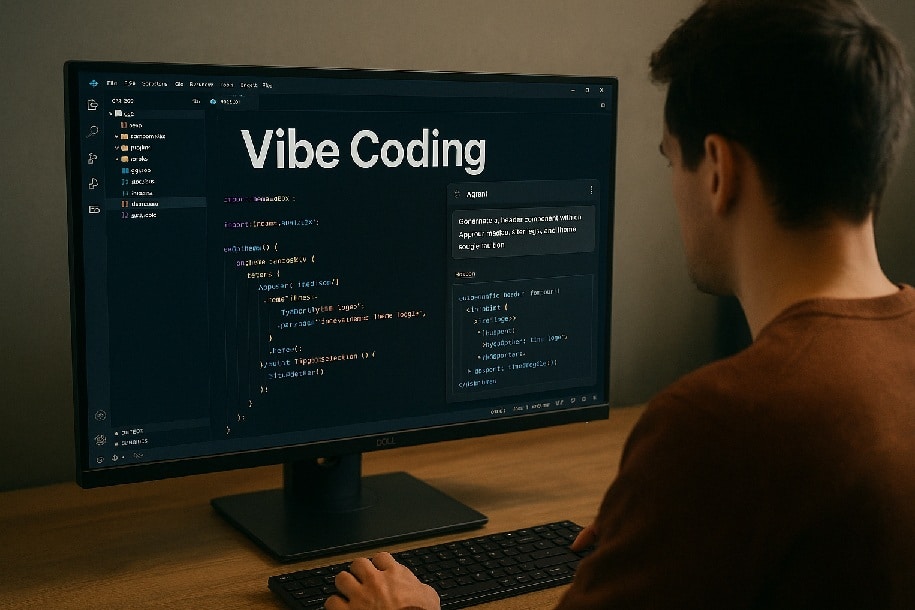
When I first heard about vibe coding—using AI agents directly inside your IDE to generate project scaffolding and components—I was a bit skeptical. Could an automated assistant really understand my precise layout, design vision, and backend integration needs? Spoiler alert: it can—if you approach it the right way. Of course, the term “vibe coding” was introduced by Andrej Karpathy, whose exceptional work as an educator has been a major inspiration to me.
At Positive d.o.o., we’re always exploring tools that accelerate development without sacrificing quality. Here’s how I used vibe coding in Visual Studio Code to build a brand-new Next.js frontend with Material-UI elements, wired up to a FastAPI backend—and why clear, step-by-step prompting makes all the difference.
1. Setting the Stage: Knowing Your End Goal
Before invoking any AI agent, I sketched:
- The page layout: header with navigation, main content grid, sidebar, footer
- Design requirements: MUI theme toggles (dark/light), consistent button styles, responsive breakpoints
- Functional hooks: fetching data from
/api/items, posting user actions to/api/submit
Having a concrete vision meant I could describe exactly what I needed: “Generate a Next.js project structure with pages/index.tsx, _app.tsx, and MUI theme provider. Include a dark/light toggle in the header.”
2. The Power of Precise, Incremental Prompts
I started the VSC AI agent and, for the initial prompt, asked it to:
“Create a Next.js app scaffold with
npm init next-app, install@mui/materialand@emotion/react, set up a custom.tsxthat wraps all pages in a MUIThemeProvider, and add a simple Home page.”
Within seconds, I had:
- A new Next.js project directory
- All dependencies installed
- Boilerplate code in
.tsxto switch between light and dark themes
I immediately ran npm run dev—and it worked. 🎉
3. Building Out Key Features, Step by Step
- Add a Site Header
Ask the AI: “Create a top bar with our logo on the left and a button to switch between light and dark mode on the right.”
Result: you get a ready-to-use header component you can drop into every page. - Fetch and Show Remote Data
Prompt: “Set up a small helper that grabs a list of items from our backend and tells me when it’s still loading.”
Outcome: you immediately have a function you can call to show either a loading message or your list of items—no manual wiring needed. - Display a Sample Page
Request: “Make a new page that uses that helper to show each item’s name in a simple list.”
Effect: the AI generates a page file that automatically shows the data you pulled, styled in the theme you chose.
Each time, you describe what you want in plain terms, test it in the browser, then move on to the next piece.
4. Connecting to Your FastAPI Backend
Rather than wrestling with configuration files:
- You simply say: “Route all our front-end API calls to
localhost:8000so I don’t get errors when talking to my Python server.” - The AI updates the project settings so that, when you make any call like “get the products,” it seamlessly reaches your FastAPI back end without you needing to tweak CORS or proxies yourself.
With this approach, you never need to dive into unfamiliar framework details—just tell the AI what you need in straightforward language, and it scaffolds the rest.
5. Key Takeaways for Successful Vibe Coding
- Be crystal clear: Vague prompts yield vague code. Specify filenames, imports, component names, and desired behavior.
- Iterate step by step: Build one feature at a time, run tests locally, then move on.
- Understand what’s generated: Review the AI’s suggestions to ensure they match your architectural standards and coding conventions.
- Know your endpoints and data shapes: AI can scaffold fetch calls, but you must define your API contract first.
6. Why Positive d.o.o. Believes in Vibe Coding
For now, we’re applying vibe coding to small-to-medium front-end tasks—setting up new pages, integrating themes, and wiring APIs. As our team gains fluency in prompting and vetting, this approach will scale to larger components and feature sets.
By pairing our expertise in digital transformation with the speed of AI-assisted coding, we deliver tighter development cycles and maintain high code quality—empowering clients to launch modern interfaces faster than ever.
Ready to accelerate your UI projects with AI-powered coding assistants? Read more about my AI journey
Share